Download & Play
Four steps and you're in.
- Create an account on the Register page.
- Download the client below and unzip it anywhere (for example your Desktop).
- Start the game by double-clicking
Conquer Unlimited.exein the unzipped folder, then click Play.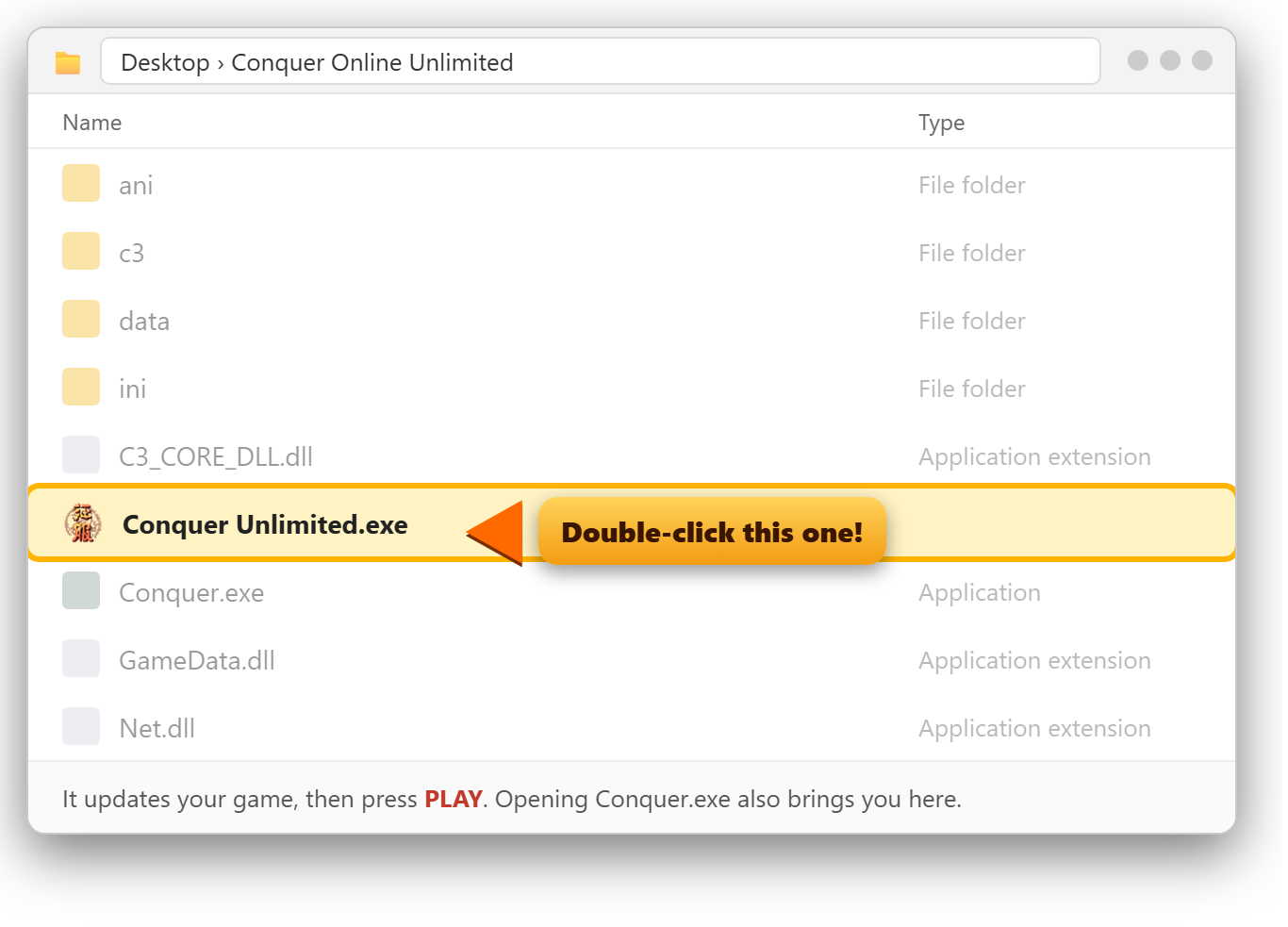 It checks for updates first and downloads only the files that changed, so you never need to download the whole game again.
If our update server can't be reached you can still play. Don't open AutoPatch or Play: those are old launchers that don't work on today's Windows.
- Log in with your username and password, create your hero, and start your ascension.
ConquerOnlineUnlimited-Client.zip · about 480 MB · Windows
Already have the game? You don't need the whole client again:
download Conquer Unlimited.exe (the updater, a few KB), put it in your game folder next to
Conquer.exe and start the game with it. It brings your game up to date by itself.
🛡️ Is it safe? Yes. Here's why you might see a warning
Every private server changes the game program so it connects to its own server instead of the official one.
Windows and some browsers don't recognize that changed program yet, so they may show a warning the first time. That's normal for new private servers.
The client has no loader, no installer and nothing running in the background, just the game. Conquer Unlimited.exe only downloads
our own game files from conquerunlimited.com, starts the game and closes.
Chrome or Edge says "isn't commonly downloaded"? Click the ⋮ menu next to the download and choose Keep.
Blue "Windows protected your PC" box when you start Conquer.exe? Click More info, then Run anyway. You only need to do this once.
Only download the client from this page. To check your file is the real one, its SHA-256 fingerprint is:
AB145557D6217AE8F50A2053DA9AC1A3BF3C350DE9AE576D72BD6483998D7F24
Having trouble?
New to the server? Read the Beginner's Guide and the FAQ.
"Please install Flash 6.0 or above" or "Run-time error 339 … TABCTL32.OCX"?
You opened AutoPatch (the window with the big artwork) instead of the game. Close it and double-click Conquer.exe instead.
Nothing needs installing.
If your antivirus moves Conquer.exe into quarantine, restore it and add the game folder as an exception. If the game closes on start, right-click Conquer.exe and choose Run as administrator once.